
SAP TCode
VA01
Create Sales Order
At a glance
Menu Path for Create Sales Order (VA01)
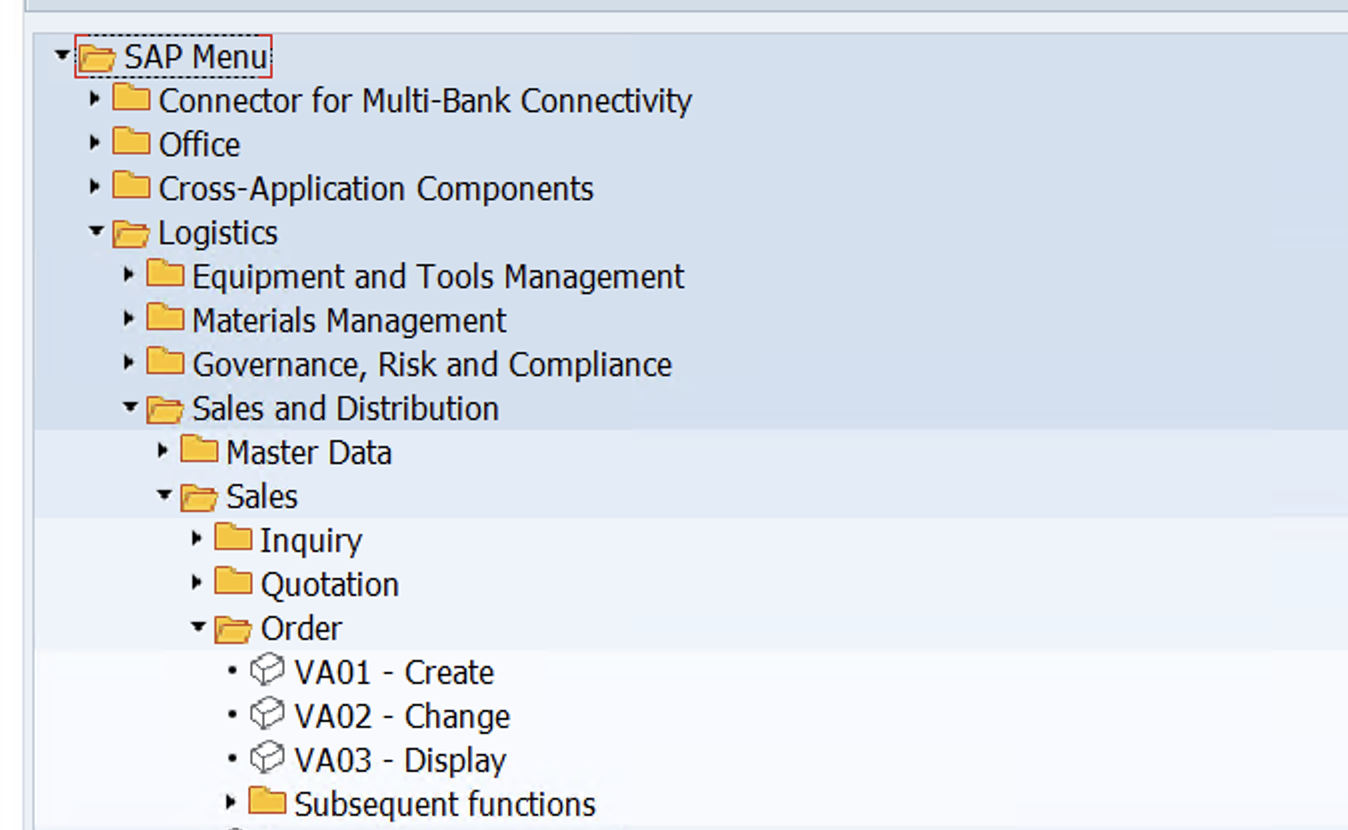
Technical details
- Transaction type
- Dialog
- Program
- SAPMV45A
- Screen number
- 0101
- Package
- VA
- Application component
- SD-SLS
- SAP GUI required
- Yes
- Deprecated
- No
Input fields
8 inputs| Position | Input | Description | Screen | Type | Required |
|---|---|---|---|---|---|
| 1 | VBAK-AUART Order Type | Sales document type used to create the order | 0101 | Select | Required |
| 2 | VBAK-VKORG Sales Organization | Sales organization responsible for the sales order | 0101 | Select | Required |
| 3 | VBAK-VTWEG Distribution Channel | Distribution channel used for sales processing | 0101 | Select | Required |
| 4 | VBAK-SPART Division | Division assigned to the sales order | 0101 | Select | Required |
| 5 | VBAK-VKBUR Sales Office | Sales office responsible for the transaction | 0101 | Select | Optional |
| 6 | VBAK-VKGRP Sales Group | Sales group responsible for the transaction | 0101 | Select | Optional |
| 7 | VBKD-BSTKD Customer Reference | Customer purchase order reference | 4001 | Text | Optional |
| 8 | VBKD-BSTDK Customer Reference Date | Date of the customer purchase order | 4001 | Date | Optional |
No inputs match the selected filters.
Relationships
General Material Data
VA01 uses material master data when creating a sales order.
SAP S/4HANA Fiori Apps for Create Sales Order (VA01)
F1873
Manage Sales Orders
Search for sales orders, review them in a list, and navigate to sales order actions.
- Application type
- Transactional (SAP Fiori elements)
- Supported devices
- Desktop, Tablet
- Application component
- cus.sd.salesorders.manage
- SAPUI5 application
- SD_SO_MANAGES1
- Database
- HANA DB exclusive
- Relationship to this TCode
- From Manage Sales Orders, choose Create, then Create Sales Orders - VA01 to open the VA01 sales order creation flow.
VA01
Create Sales Orders - VA01
This app comes with different tiles or functions that are embedded in other apps. You can use it to create specific types of sales documents.
- Application type
- SAP GUI
- Supported devices
- Desktop, Tablet
- Database
- HANA DB exclusive
- Relationship to this TCode
- The SAP Fiori Apps Reference Library lists Create Sales Orders - VA01 (App ID VA01) as an SAP GUI app entry for the VA01 sales-order creation transaction.
App availability and technical details vary by SAP product edition and release. Check the SAP Fiori Apps Reference Library for your system.
Business scenarios
Create a standard sales order
Create a standard customer sales order by entering the sales area, customer partners, materials, and quantities, then reviewing the order data before saving.
Create an order with reference to a quotation
Create a sales order with reference to an existing quotation. The system copies relevant quotation data into the new order for review.
Review pricing availability and delivery data
Review partner data, pricing, material availability, and delivery dates during sales-order entry. Pricing and availability checks depend on the item category and system configuration.
Frequently asked questions
What is SAP TCode VA01 used for?
SAP TCode VA01 is used to create sales orders in SAP Sales and Distribution. It allows authorised users to enter the sales document type, sales area, customer, materials, quantities, pricing, delivery information and billing-related data required to create a sales order.
Source information
- Source
- ERPSAP SAP TCodes CSV
- Source type
- Tcodes Csv
- Original file
- 04-sap-tcodes.csv
- Imported
- 2026-09-20 08:29:16